
Oppo A17 (CPH2477) Hard Reset and FRP Bypass /Google Account UnLock Andriod 12 Update Without PC this problem is Solved By Team KMT in English…..
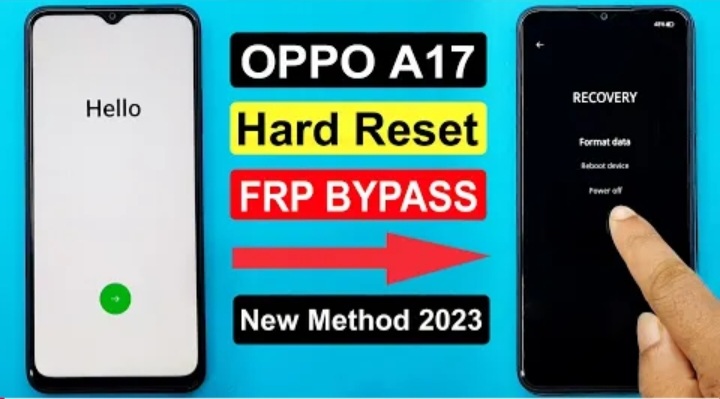
Welcome to Krish Mobile Training Institute.This is my Oppo Model Andriod Smartphone Unfortunately i Forgot my Phone Password i Forgot my Phone Lock Screen Password i forgot My Screen Lock Password Which is why i can’t Use.This Phone if you have Forgotten the Pasword of your phone Then by BLOG Today on how to Use it to UnLock the Phone.http://OPPO A17 GOOGLE ACCOUNT UNLOCK. So,let’s Start the BLOG on How to UnLock the Phone by Hard Reset if you forgot the Password.Now i will show you how to UnLock this Smartphone.
DISCLAIMER :-

This is Tutorial BLOG for Educational Purpose only,try this Method only to UnLock your own Phone.Don’t try this Method on Stolen Phones.This is Serious Crime,if you are Trying to UnLock a Stolen Phone without Permission you May Also be Jailed.
Krish Mobile Training Institute

OPPO A17 GOOGLE ACCOUNT UNLOCK UPDATE :
Step 1:-
- Swipe Up – Draw UnLock Pattern (Incorrect Pattern please try Again).
- After 6 to 7 attempts (Phone UnLocked.Try again in 27 Seconds).
- On Using Volume up & Volume Down & Power Buttons to Switch Off Your Device.
- Oppo Logo is Displayed.On Using Volume Up & Power Buttons to restart Your Device.
- Select Language (ENGLISH) – Click on Format Data – Please Lock Screen Code _ 2279.
- Click on Format Data,Wiping,Please Wait for 4 to 5 Minutes – This Blog has been Speeded Up.
- Hello (Click on > Button) – Select Language – Click on Next – Select Region – Click on Continue.
- Legal Information (Enable All Options) – Click on Next.
- Connect to wi-fi (Wi-fi Connect to Mobile).

Step 2:-
- Enter Password – Click on Next Checking for Updates – Just a Few Moments – Click on Don’t Copy.
- Just a Sec – Checking for Updates – Checking Info – Google (Click on Next).
- Give Your E-mail or Phone – We can See the Google Account Lock – Go Back to Connect to wi-fi.
- Click an Add Network – Click on MIC Keyboard – Don’t Save – MIC is Not Working.
- Go Back to Hello (Next) – Select Language – Click on (Emergency Call) – Type *#813# – Click on Ok.
- Type *#813 FRP CODE IS NOT WORKING – Click on OK – Go Back to Hello.
- Press the Volume Down Button to turn on Talk Back and Volume Up Button.
- Turn on Talk Back and Volume Up Buttons – Turn on TalkBack Shortcut (Click on Turn on).
- Both the Volume Buttons Welcome to talk Back (Draw Riverse L Shape).


Step 3:-
- Click on While Using this App – Click on Use Voice Commands to Controle Talk Back.
- Click on Use Voice Commands – Say Google Assistant with your Voice & Youtube Open.
- Talk Back Enabled – Connect to Device – Press the Volume Down Button.
- To Turn Off Talk Back and Volume up Buttons – Click on Youtube – Click on ID – Click on Settings.
- Click on About – Click on Youtube Terms Of Services – Welcome to Chrome.
- Click on Accept & Continue – Click on No,thanks – Type Krish Mobile Training.com.
- Click on Terms of Services – Click on Menu – FRP Bypass – Click on Open Settings App.

Step 4:-
- Click on Setting – Click on Back Up and Reset – Click on Reset Phone.
- Click on Erase All Data (Factory Reset) – Click on Erase All Data – Click on Erase Data.
- Oppo Logo is Displayed – Format Data (wiping,please Wait) – Oppo Logo is Displayed.
- Please Wait for 4 to 5 Minutes – This BLOG has Been Speeded Up – Color OS.
- Hello (Click on Next).Select Language (Click on Next) – Select Region (Click on Continue).
- Legal Information – Enable All Options – Click on Next – Connect to wi-fi (Click on Skip).
- Gogle Services – Click on More – Again Click on More – Click on Accept – Sign in (Click on Skip).
- Navigation (Click on Next) – UnLock Method (Click on Skip) – Recommended (Click on Next).
- Successfully FRP & Google Lock Bypass – Welcome (Click on Get Started) – Loading…..

FOR MORE INFORMATION :-
Stay Tuned by Subscribing to Our KMT Youtube Channel for Tutorial Apps and Tricks to UnLock More new Smartphones like this, www.youtube.com/@krishmobiletraininginstitute.
