OPPO A 18 FRP / GOOGLE Account Bypass Andriod 14/Share Article Not Working Fix this Problem is Solved by Team KMT in English……..
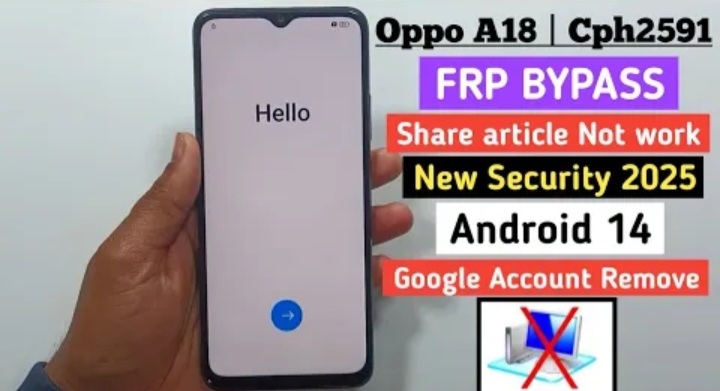
Welcome to Krish Mobile Training Institute.This is my Oppo Model Andriod Smartphone Unfortunately i Forgot my Phone Password i Forgot my Phone Lock Screen Password i forgot My Screen Lock Password Which is why i can’t Use.This Phone if you have Forgotten the http://HOW TO UNLOCK OPPO A18 GOOGLE ACCOUNT Pasword of your phone Then by BLOG Today on how to Use it to UnLock the Phone.So,let’s Start the BLOG on How to UnLock the Phone by Hard Reset if you forgot the Password.Now i will show you how to UnLock this Smartphone.
DISCLAIMER :-
This is Tutorial BLOG for Educational Purpose only,try this Method only to UnLock your own Phone.Don’t try this Method on Stolen Phones.This is Serious Crime,if you are Trying to UnLock a Stolen Phone without Permission you May Also be Jailed.
HOW TO UNLOCK OPPO A18 GOOGLE ACCOUNT :-
Krish Mobile Training Institute
Step 1:-
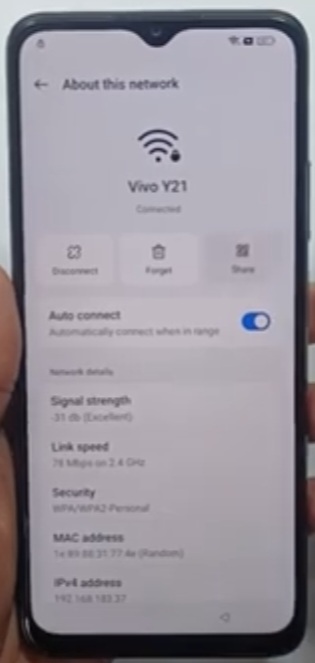
Hello! – Click on > – Select Language (English) – Click on Next – Select Region (India) – Click on Continue – Legal Information – Click on Next – Connect to a Mobile Network – Click on Next – Connect to Wi-fi – Click on Save – Connect to Wi-fi – Click on Next – Getting Your Phone Ready …….. Just a Few Moments – Copy Apps & Data – Click on Don’t Copy – Checking Info – (2 times) – Draw Lock Screen Pattern – Click on (X) – Checking Info – Google Verifying Pattern – G-mail or Phone – Click on Next – Click on < – Again Click on < – Connect to Wi-fi – Click on About this Network – Click on Scan – Click on Quick Share.
Step 2:-
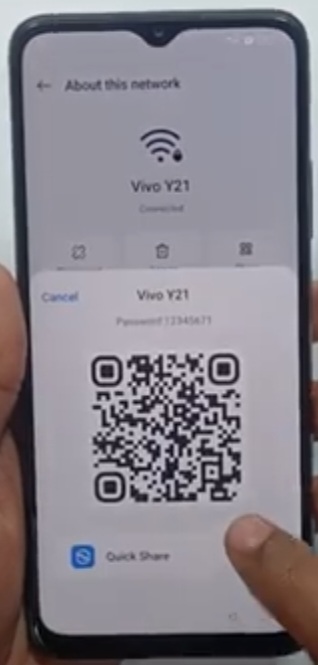
Click on SetUp Quick Share – Click on Connect – Click on 3 Dot Icon – Click on Settings – Click on Share with….. – Click on Use Quick Share on Your Andriod Device not Work – Click on Close App – Click on Quick Share with…… – Click on Use Quick Share on Your Andriod Device – Click on Help – Click on Interact with Apps & People Around you – Scroll Up and Select Fix Problems Sharing Content – Click on Mobile Not Work – Click on YouTube Embeded Video – Click on Allow Youtube to Speed you Notifications – Click on Allow – Click on Settings – Click on 3 Dot Icon – Click on Youtube Terms and Services.
Step 3:-
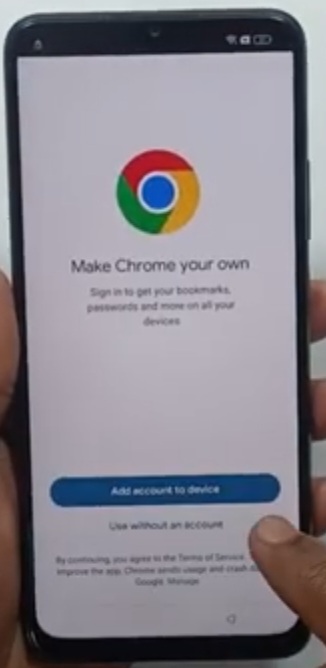
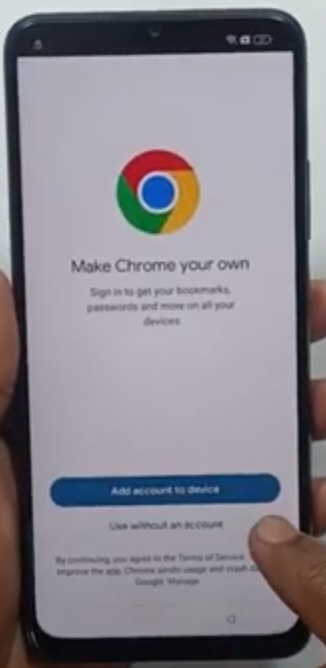
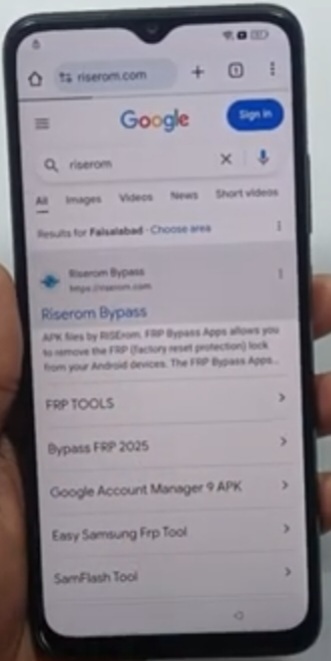
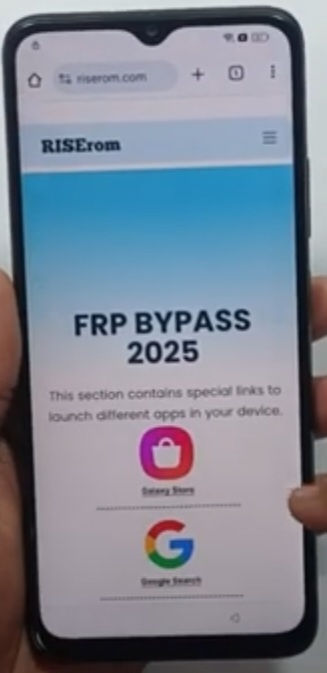
Click on Make Chrome Your Own – Click on Use another Account to device – Click on No,thanks – Search Riserom – Click on Terms of Service – Click on Terms of Service – Click on Riserom Bypass – Click on Riserom (FRP Bypass 2025) – Scroll Up – Click on Settings – Click on About Phone – Click on < – Home Screen and Lock Screen – Click on Home Screen Layout – Click on Clone Phone – Click on This is a New Device – Click on Allow – Click on Migrate Data – Click on Other Andriod.
Step 4:-
Connect to Your Device – Click on < – Click on Other Device – Take Another Device – 2.D _ Click on Play Store – Search Oppo Drive Phone – Click on Agree and Continue – Click on Clone Phone – Scan the QR Code to Device – Click on Ok –
After that Charge Your Device – Click on < – Click on Clone Phone – Click on Dual Continue – Click on While Using this App – Scan QR – Code Shown on Your new Device – Click on Continue – Click on While using this App – Click on Settings – Click on Display Over the Apps – Click on Connecting – 1.D _ Connecting – Click on Select Data on Your Old Device – 2.D _ Select the Data to be Migrated – Disenable Selected Apps.
Step 5:-
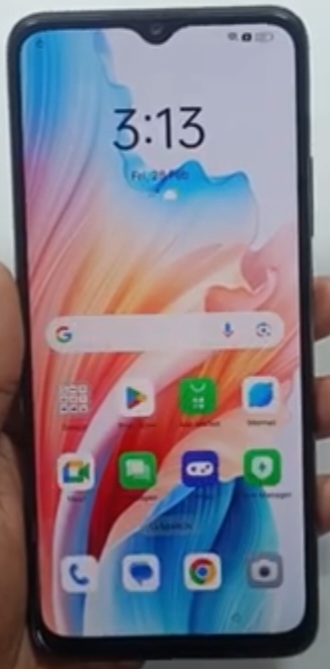
Diselect anyway – Click on Settings – Click on Next – Click on Apps with Usage Access – Click on < – Click on Next – Prepairng Data – Click on Apps (Excluding Data) ….. Enable and Click – Click on Next – 0.00B Selected – Enable Activity Launcher – Click on Ok – 2.95 MB Selected – Click on Next – Give a Small Click – Start Migration – Sending – 1.D Receiving – 2.D Transfer Completed – 1.D _ Transfer Completed.Restoring Data…… 2.D – Done – 1.D _ Migration Completed – Click on Done – UnLock Method – Click on Skip – Recommended – Click on Done – App Market – Click on Skip – ColorOS – Click on Get Started.
Krish Mobile Training Institute
FOR MORE INFORMATION :-
Stay Tuned by Subscribing to Our KMT Youtube Channel for Tutorial Apps and Tricks to UnLock More new Smartphones like this, www.youtube.com/@krishmobiletraininginstitute.