
How to Fix SIM Card Without Service Issue On MI it is Clearly Explained by Team KMT in English……..
Welcome to Krish Mobile Training Institute.I am from India.I Enjoy Sharing My Knowledge and Tips and Tricks on SmartPhones.I Look Farward to Learning a Lot From You.Don’t forgot to Like and Subscribe.I Love You So Much………..
Krish Mobile Training Institute
This is my Xiaomi Oppo Model Andriod SmartPhone.unfortunately i forgot my phone Password I forgot my http://HOW TO FIX SIM CARD 2025 Phone Lock Screen Password which is why i can’t use this Phone.If You have Forgotten the Password of your Phone then My BLOG.Today on how to use it to UnLock the Phone.So,Let’s Start the BLOG on how to UnLock the Phone by Hard Reset if you forgot the Phone Password.Now i will Show You How To UnLock this Model SmartPhone.
DISCLAIMER :-

This is Tutorial BLOG for Educational Purpose only,try this Method Only,to UnLock Your Phone.Don’t try this Method on Stolen Phones.This is Serious Crime if you are trying to UnLock a stolen Phone Without Permission you also be Jailed.
HOW TO FIX SIM CARD WITHOUT SERVICE 2025 IN ENGLISH :-
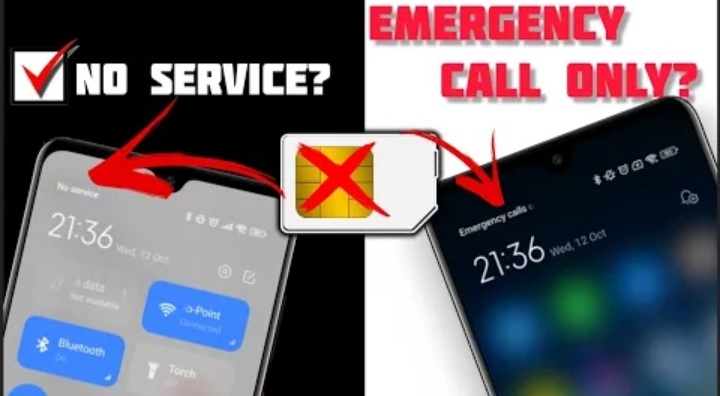
Redmi Xiomi Redmi Network Problem,Watch this Entire BLOG.Recently,Some Xiomi Andriod Users have Complained about No Service for SIM Card Problems on Their Redmi Note 9,Redmi 7,Redmi 7A,Redmi 5,Redmi 9C,Redmi 5a or any Other Xiaomi and Redmi Devices Unfortunately.Their Phone Keeps Showing Xiaomi SIM is Either Failed or No Service or No SIM Card.Now,if you are having a Network Problem that You Can’t Use the SIM Card and it Shows No Service or SIM On the Xiaomi Device,thank you Need to Watch this BLOG and Learn Some Quick Ways to Solve Your Problem!So, after Analyzing the Matter,i am going to Present some KMT Solution that will fix MI Phone No SIM Card Problem On Andriod! BLOG INTRO,
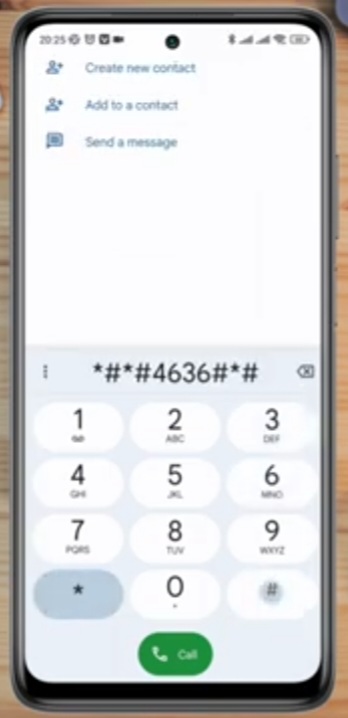

- SOL 1:-
- Dial the Following Number and Follow the Instructions.
- SOL 2:-
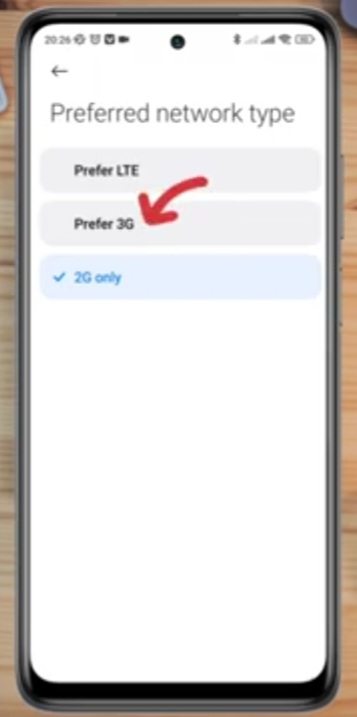
- Change Preferred Network type From Settings.
- SOL 3:-
- Restart Your Network Following the BLOG.
- SOL 4:-
- Reset Networking Settings.
- SOL 5:-
- Ending.
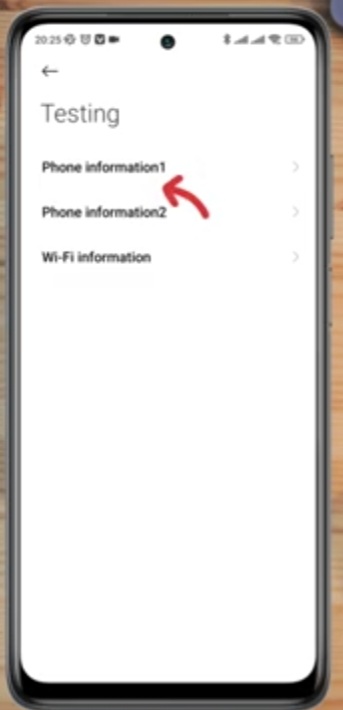
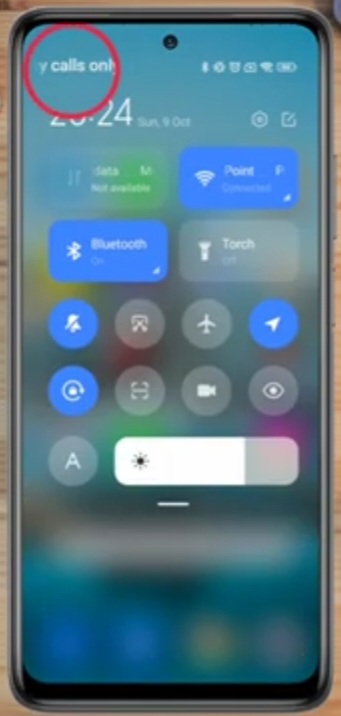
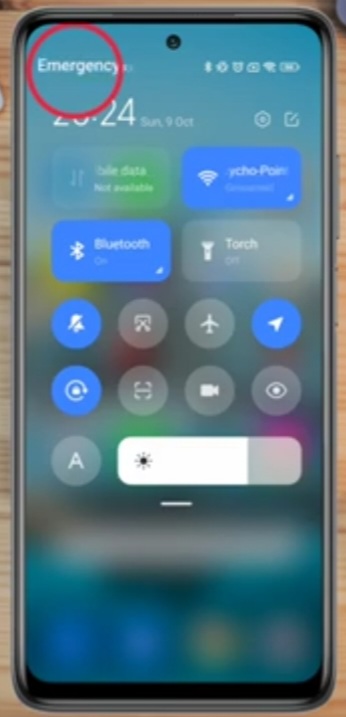
- Swipe Down.
- Click on Emergency Call.
- No Service.
- Swipe Down.
- Click on Call.
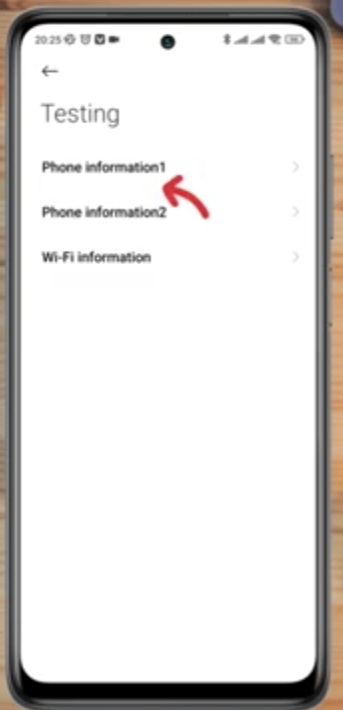
- Enter Code *#*#4636#*#*.

Testing Phone Information 1:-
Phone Info 1 – Scroll Up – Click on Back – Click on Settings – SIM Card & Mobile Networks – Scroll Up – SIM Card Settings – Turn On – Preffered Network Type – Preffer 3G – Click on < – Click on Settings – Click on Connection and Sharing Reset Wi-fi,Mobile Networks & Bluetooth – SIM 1 & SIM 2.
FOR MORE INFORMATION :-
Stay tuned by subscribing to Our KMT Youtube Channel For Tutorial Apps and Tricks to UnLock More New SmartPhones like this,www.youtube.com/@krishmobiletraininginstitute.
